Context
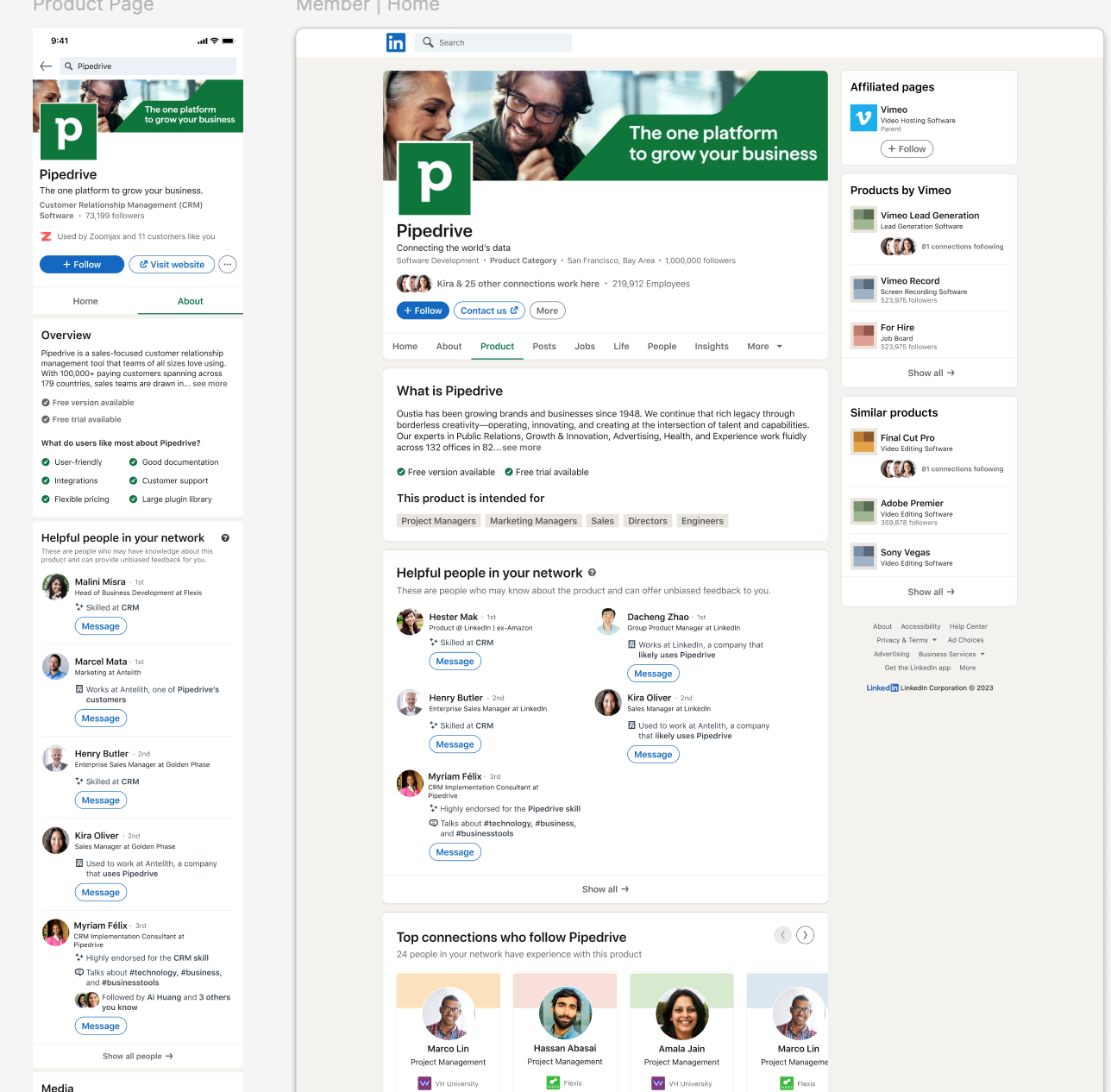
LinkedIn's Product Pages give buyers a dedicated space to evaluate B2B software. The team had been building features to help buyers make better purchasing decisions, and one of them was Helpful People — a module that surfaces connections who might know the product and can offer unbiased feedback.
The concept tested well in early UXR — users responded strongly to getting product feedback from people they actually know. But the execution wasn't landing. Users stumbled over the module and didn't understand why these people were surfaced or what the value prop was.
The job to be done
JTBD
As an active buyer purchasing a software solution, I want to gain intelligence on what my peers are using, in a way that saves time, provides unbiased access to information, and makes me feel confident in my shortlist of products before I start the purchase flow.
UXR findings (Feb 2023)
Active Buyer MVP concept testing surfaced two distinct findings that shaped the redesign.
What was working
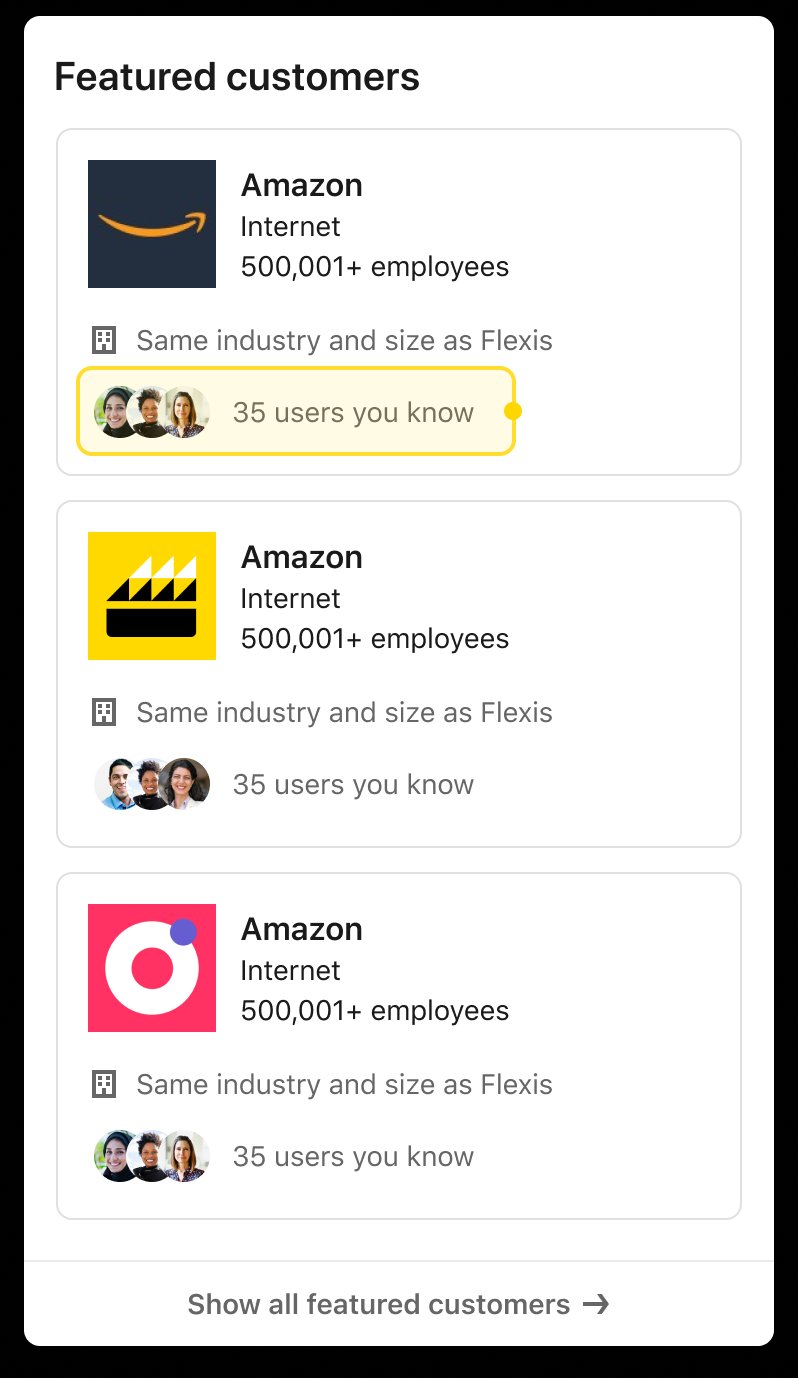
"Users you know" was the standout
Feedback from connections would be more honest, open, and specific compared to written online reviews. LinkedIn's social graph was the differentiator — this information can't be found on other sites, and users value independent voices for product feedback.
What wasn't working
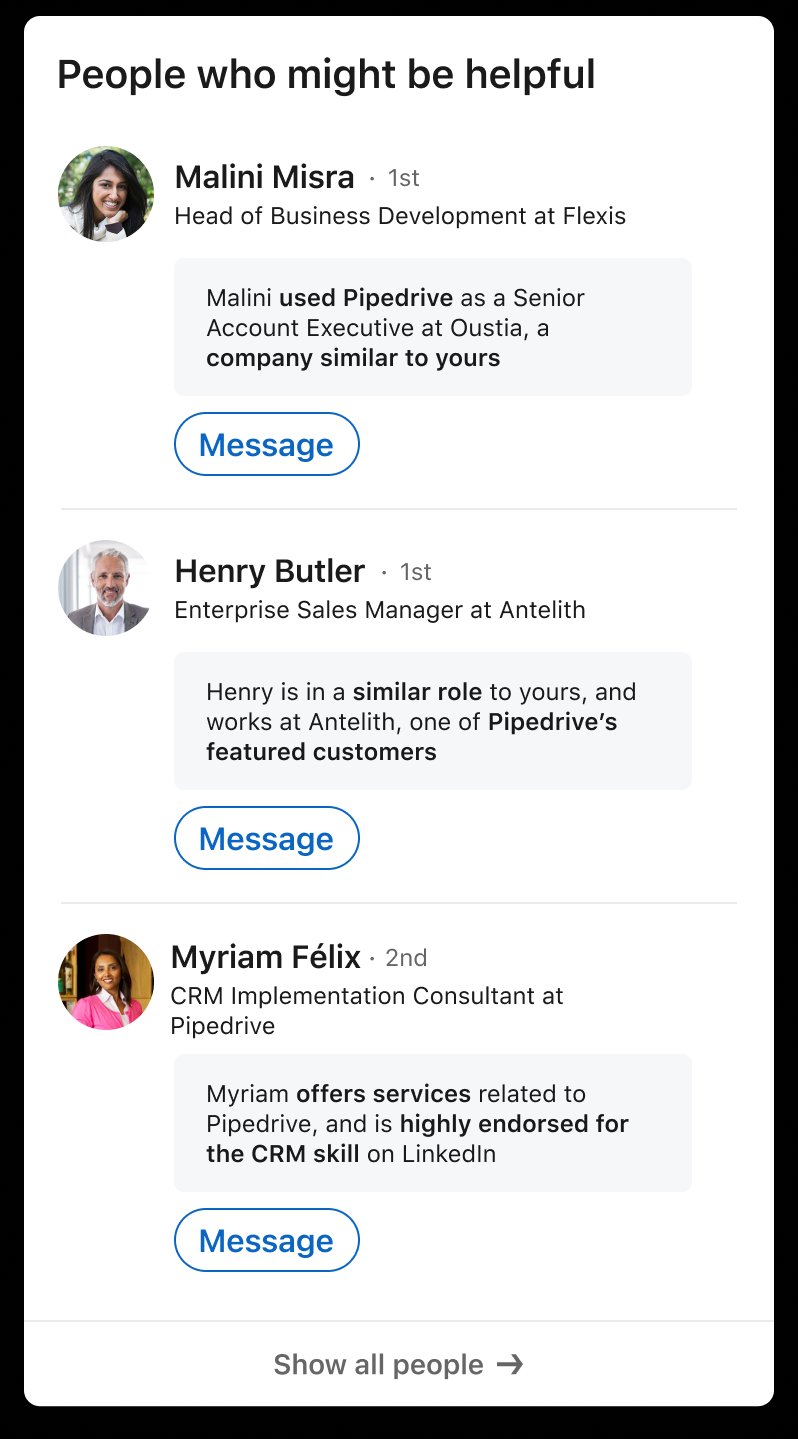
"People who might be helpful"
Users stumbled over this module. They didn't know why these people were "helpful" or what the value prop was. They couldn't quickly glean who could actually inform their buying decision.
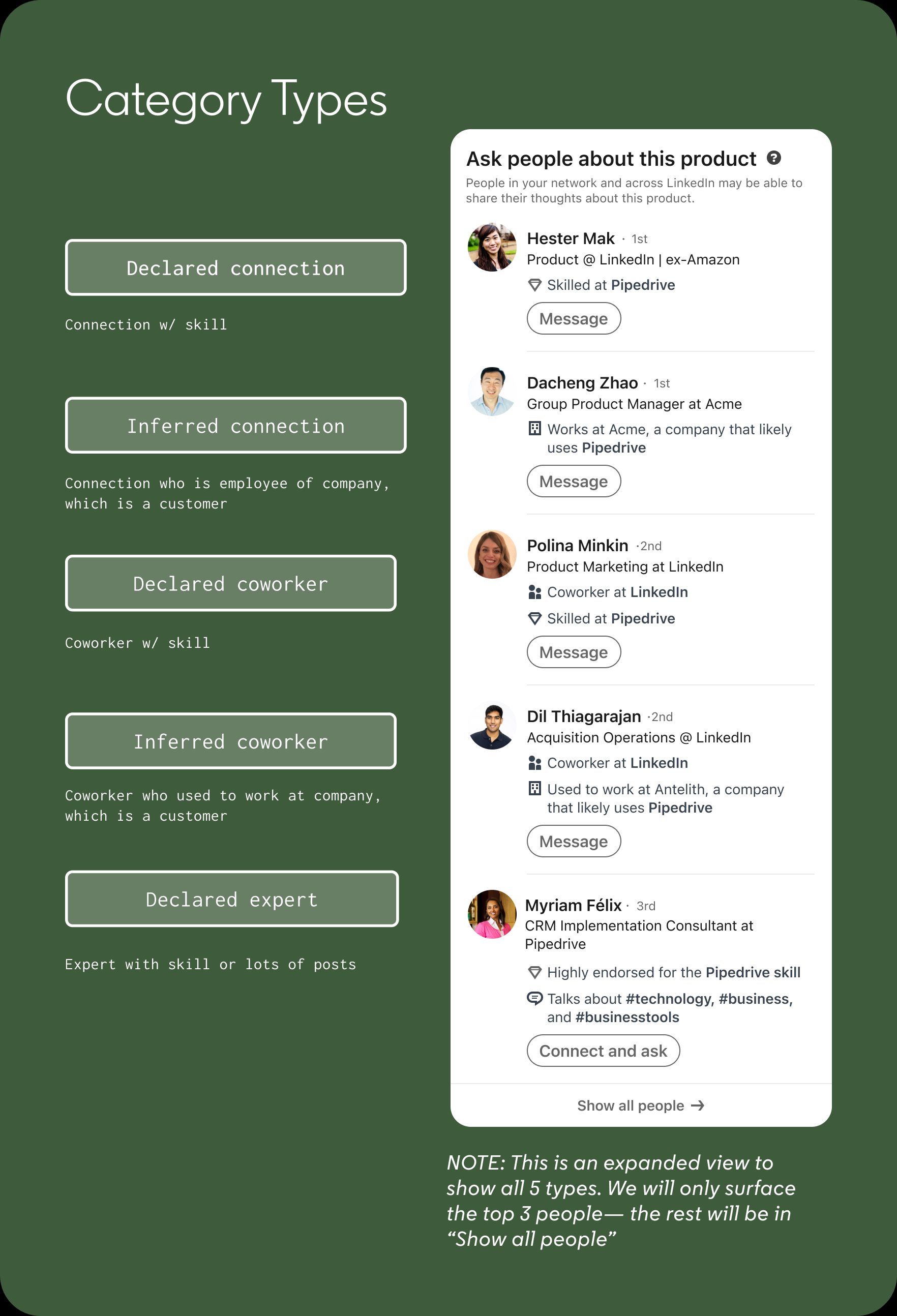
Defining the logic: 5 types of helpful people
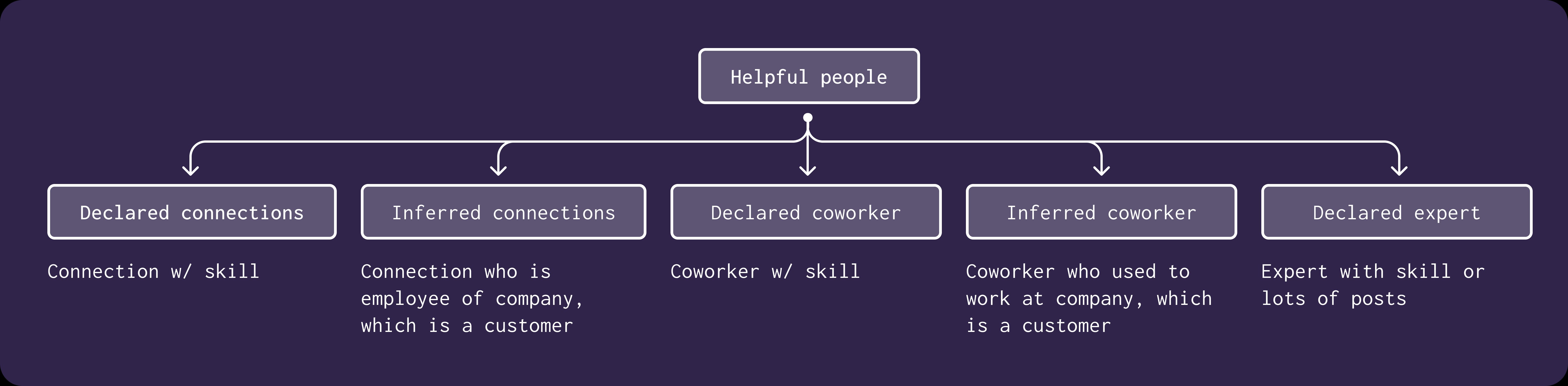
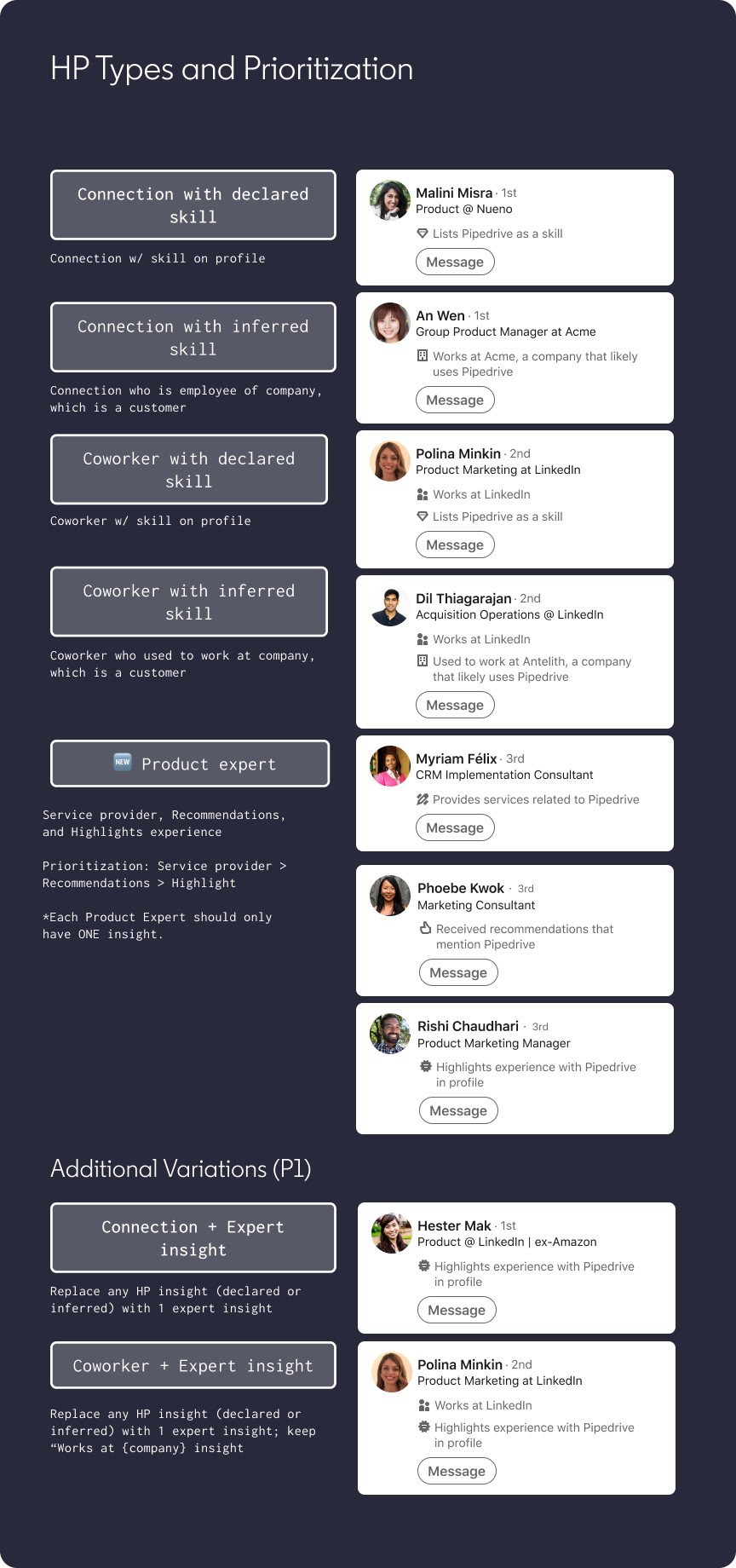
Before redesigning the UI, I needed to establish what "helpful" actually means. I mapped out five categories based on LinkedIn's social graph — each surfaced through a mix of declared and inferred signals, ranked by connection strength first, declared vs inferred second.
Declared signals
Skills listed on a profile, service provider status, post activity — information the person has explicitly shared on LinkedIn.
Inferred signals
Working at a known customer company, previously working at one — derived from LI data without explicit declaration.
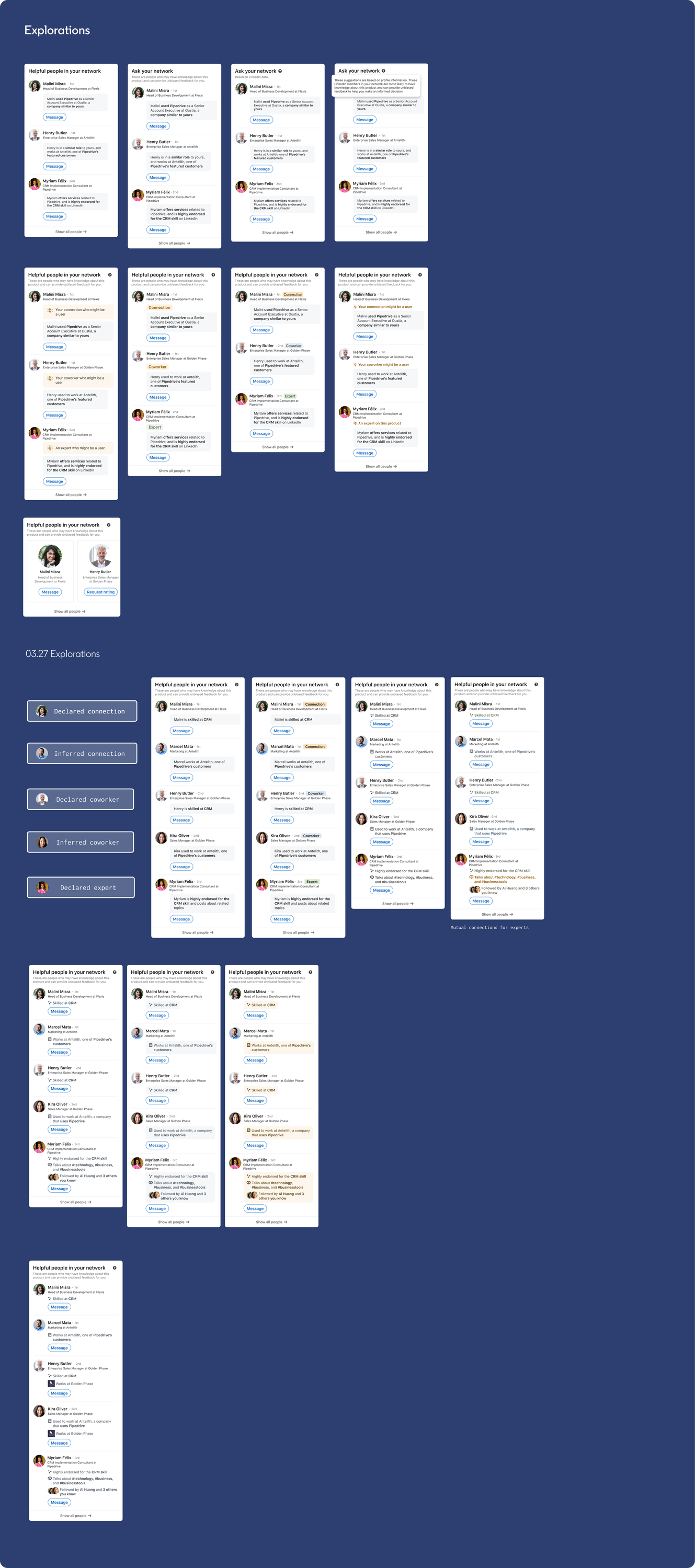
The messaging flow
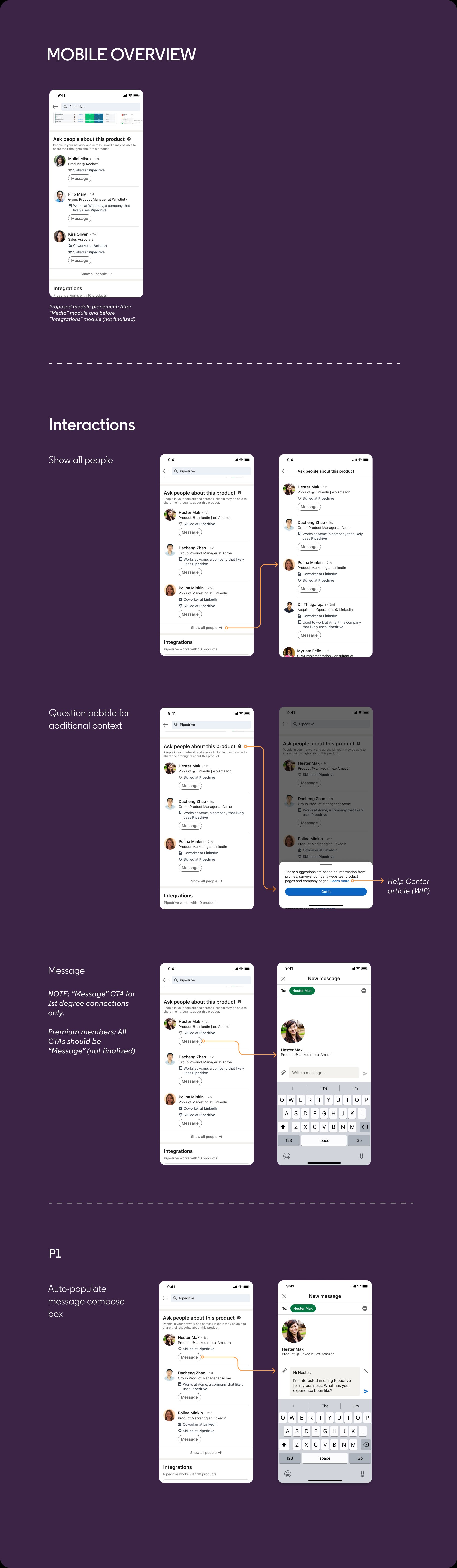
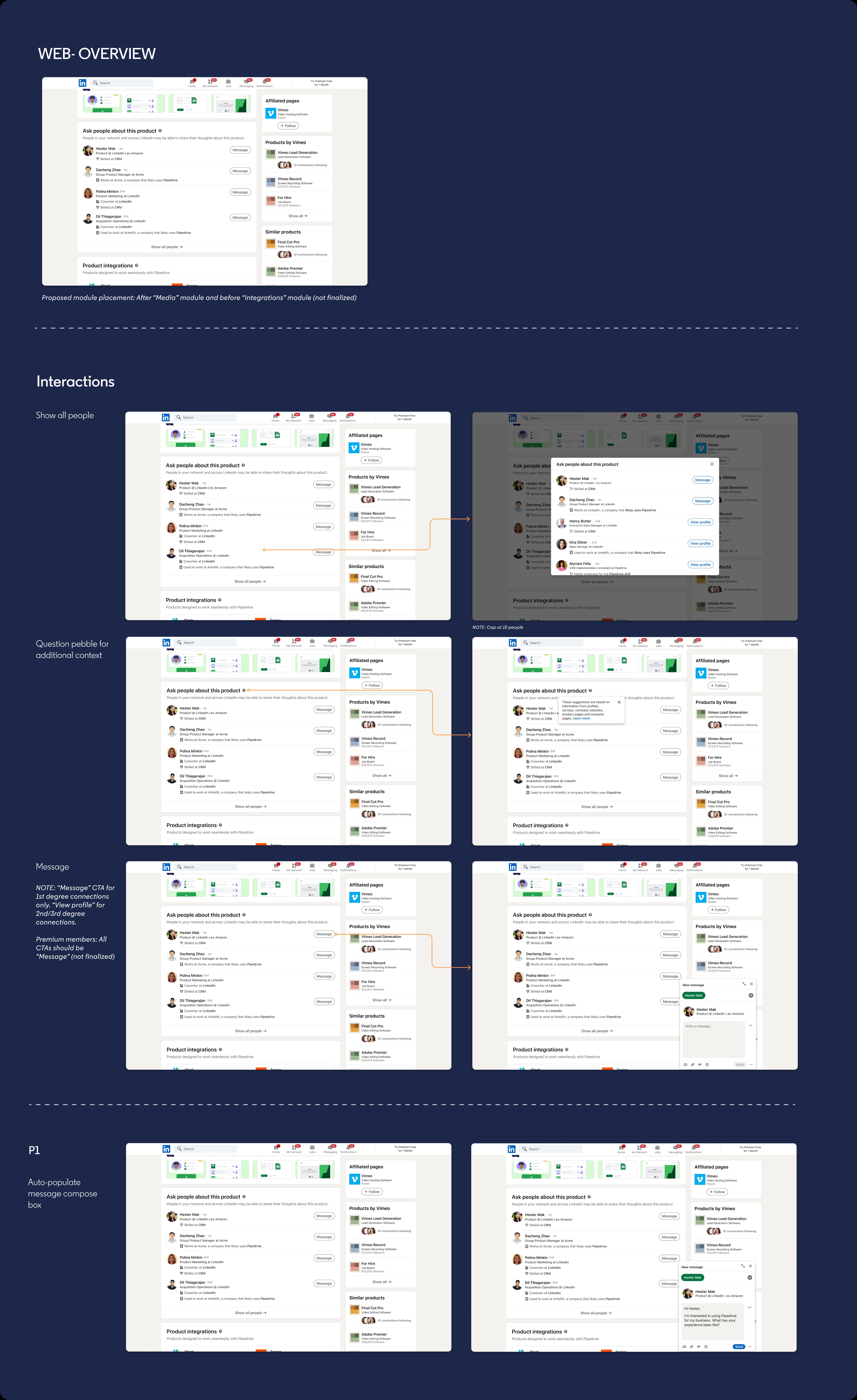
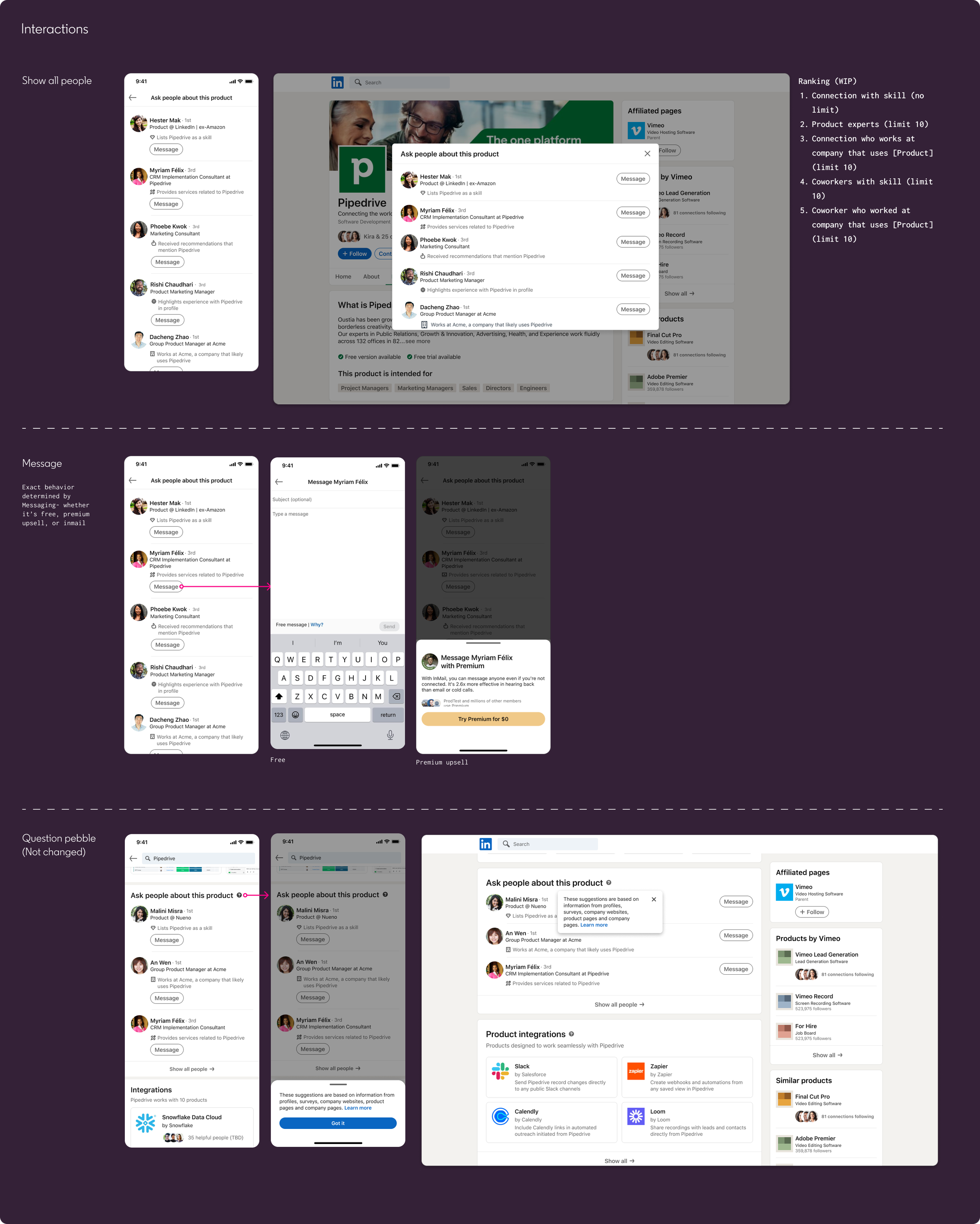
Tapping Message should make it frictionless to reach out. I designed the full flow across mobile and web including a pre-filled message (P0: static) that gave buyers a natural starting point. For P1, this became a dynamic template that auto-populated the recipient's name and referenced the product by name — significantly reducing the blank-page barrier to reaching out.
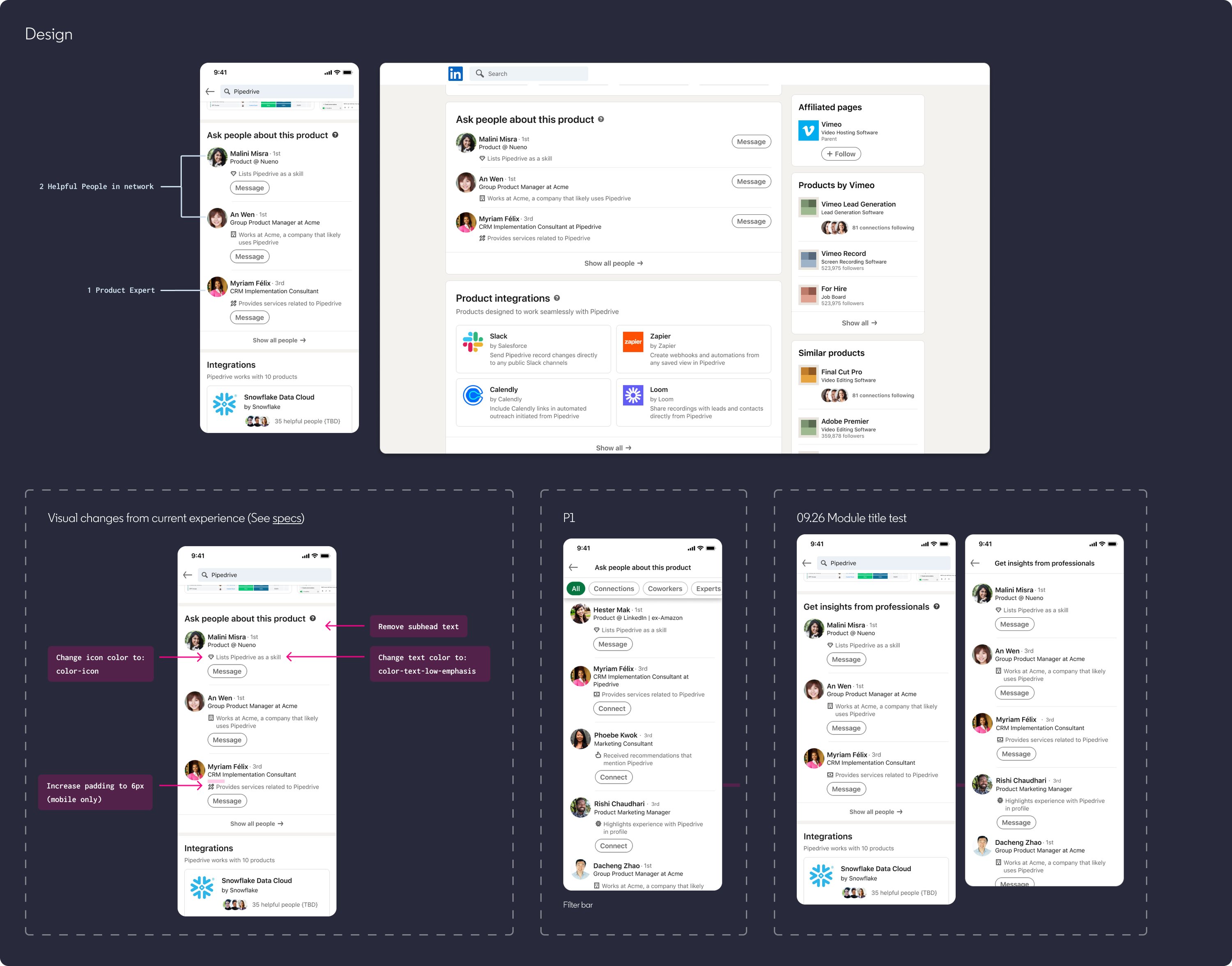
Mobile & web design
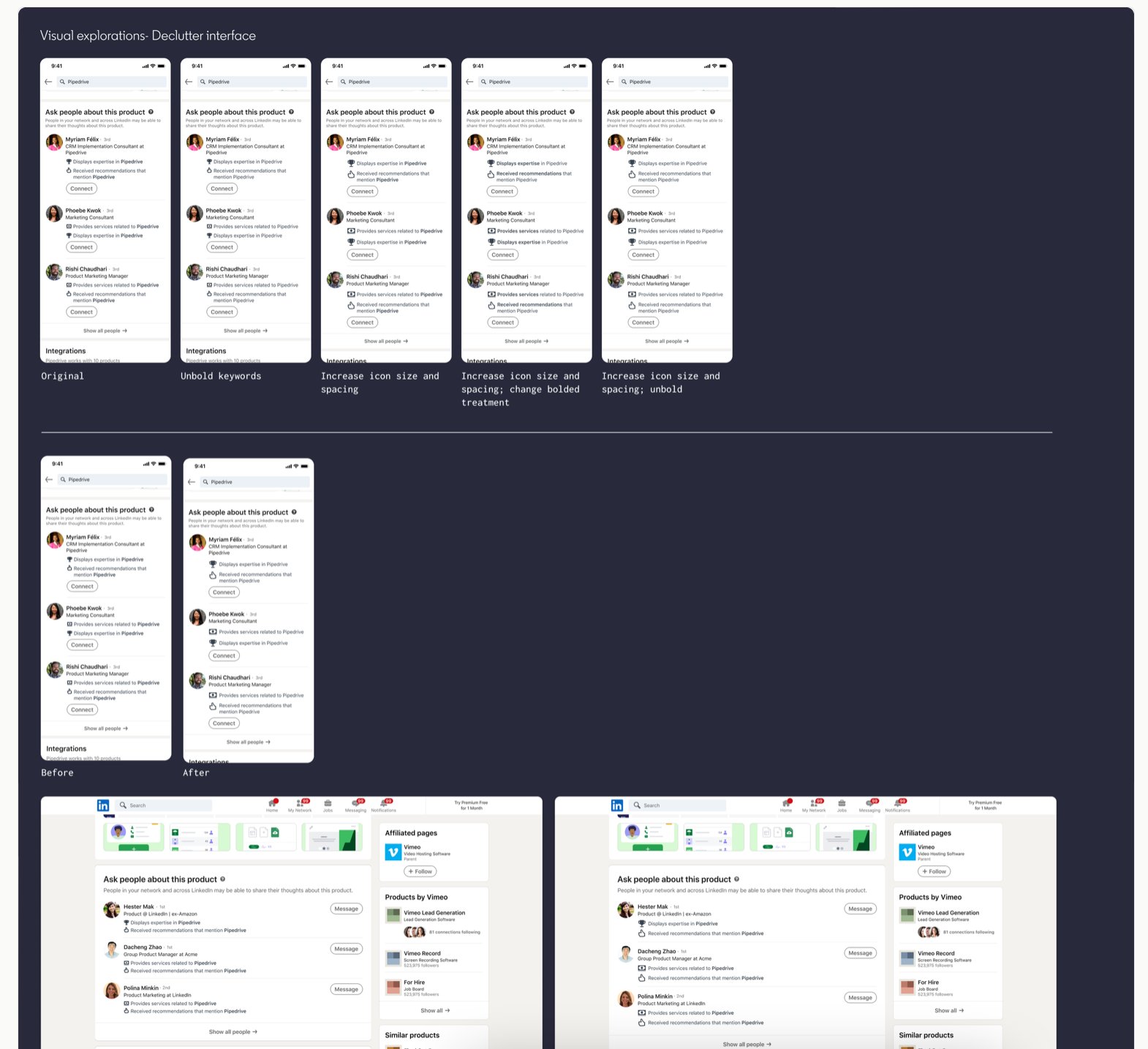
I delivered the full design across both mobile and web — covering the collapsed module state, "Show all people" expansion, the question pebble tooltip, and the message compose flow. The module sits after the Media section and before Integrations — deliberate placement to surface social proof at a high-consideration moment in the evaluation journey.
Iteration: Product Experts
After launch, a new problem surfaced. Users had breadth — LinkedIn's network gave them plenty of people to reach out to — but they lacked depth. They weren't confident that the people shown actually had deep knowledge about the specific product and its competitors. The module needed a way to surface people with genuine expertise, not just network proximity.
The gap
"I have a lot of people I know whom I can reach out to — but I'm not sure if they actually have deep knowledge about this product and its competitors."
The solution: Product Experts
A new category of Helpful People — individuals with deep product expertise, identified through recommendations, certifications, profile description, post activity, and skills.
HP types and prioritization
Product Expert is a new category sitting above connections and coworkers in the ranking. Each Product Expert shows only one insight — prioritized as: service provider > recommendations > highlights experience.
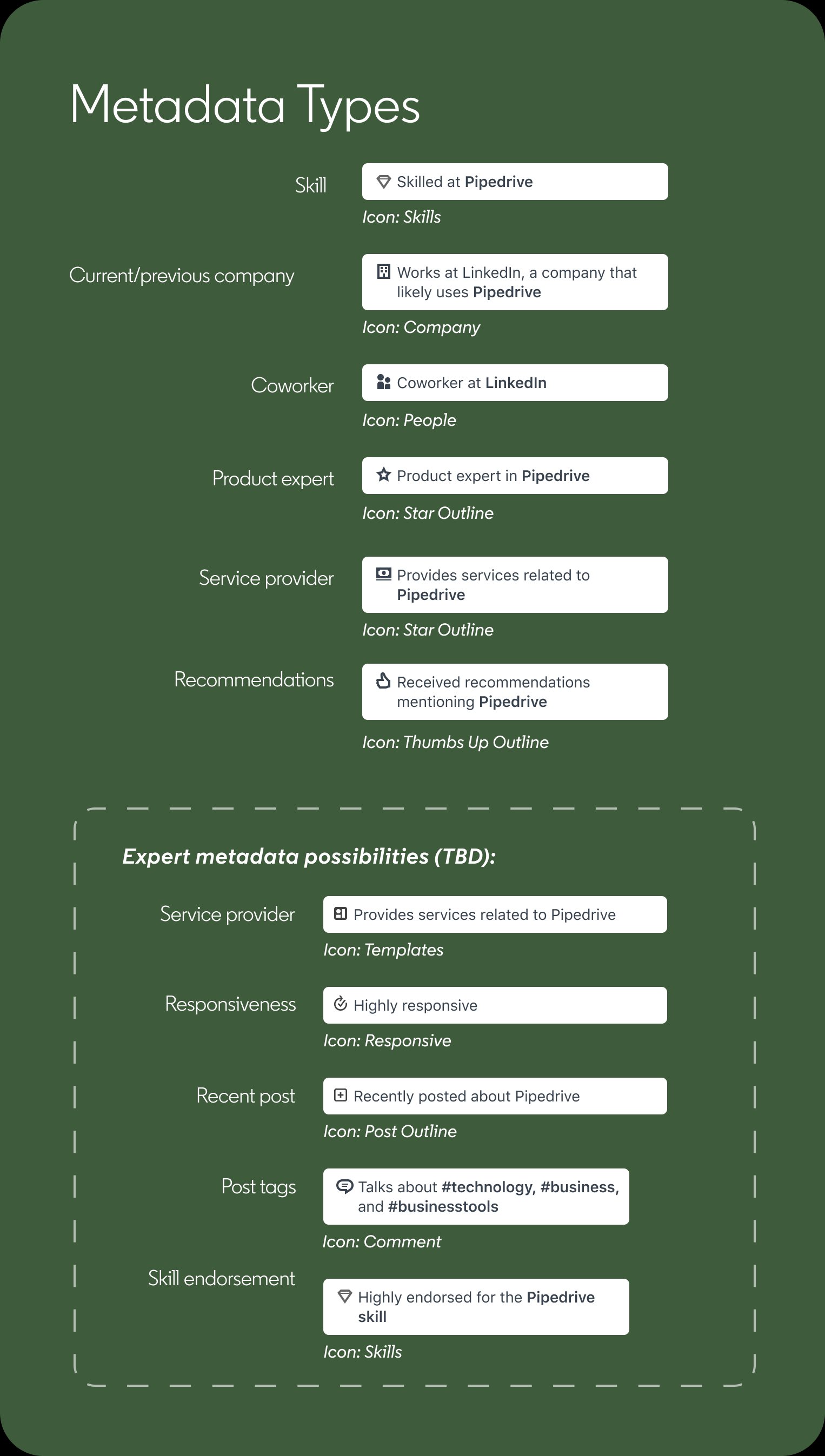
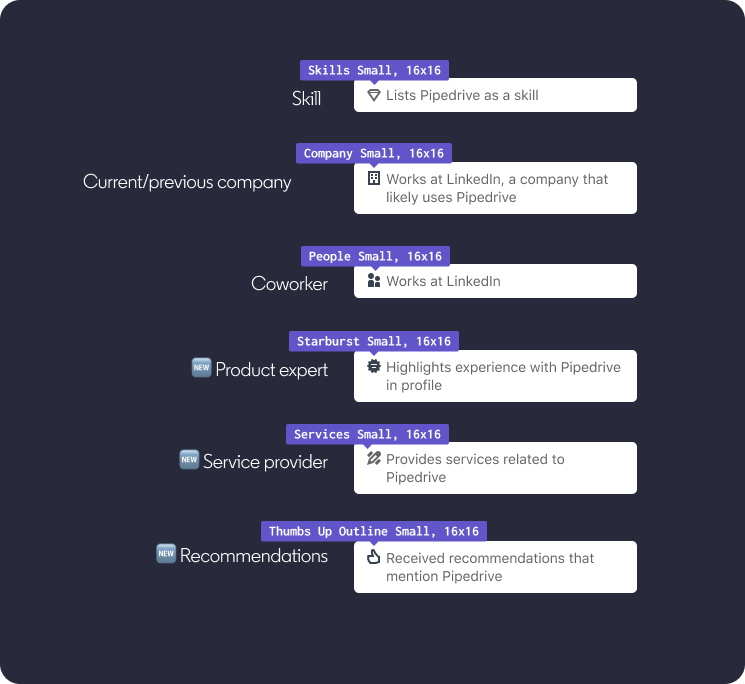
Metadata types
Six insight types in total — three existing (skill, current/previous company, coworker) and three new (service provider, recommendations, product expert). Each has a distinct icon and one line of copy.
Ranking logic
I defined the full ordering for both the collapsed module and the "Show all people" expanded view. Product Experts surface second in priority — after direct connections with a declared skill, but above all inferred connections and coworkers.
Module: top 3 shown
Ranked by connection strength first, then declared vs inferred. Product Experts are the second priority type after connections with a declared skill in the product.
Show all people: full ordered list
1. Connections with skill (no limit) · 2. Product experts (limit 10) · 3. Connections at customer companies (limit 10) · 4. Coworkers with skill (limit 10) · 5. Coworkers at customer companies (limit 10)
The Product Expert experience
I also designed the experience for people identified as Product Experts. They receive an email explaining what it means to be surfaced as an expert and linking to a Help Center article. By default they're opted in — members who want to be removed can submit a support ticket, and engineering removes them from the list. Next steps on the roadmap included an in-product opt-out experience, an "Expert in [Product]" badge on their profile, and a self-reporting flow for experts.
Collaboration
This project required tight cross-functional alignment. I worked with the content designer on the title, subheading, and all metadata copy; with PM on product requirements and engineering feasibility for each HP type; and with legal to ensure the question pebble tooltip accurately described LinkedIn's logic without overstating what the data implies. The engineering handoff covered full specs for mobile (iOS) and web across interactive and non-interactive states.
Content design
Brainstormed and tested title options together. Aligned on principles: concise, accurate, relevant. Wrote all metadata snippets for each HP type.
Legal
Reviewed question pebble and subheading language. Ensured inferred signals were communicated accurately without implying data LinkedIn doesn't have.
Engineering
Delivered mobile and web specs across interactive and non-interactive states. Scoped P0 vs P1 across backend logic and UI together.
Impact
Helpful People became the most engaging feature launched for buyers on LinkedIn Product Pages.
Product engagement
4x
more product page engagement overall
Module engagement
14%
of product page visitors engaged with the module
Message sends
2x
more message sends than profile views
Response rate
42%
of messages sent through the module received a response
Survey result
87% of surveyed buyers found product features helpful for their buying journey — with Helpful People rated as the most valuable feature on the page.
"Helpful People proved to be the most engaging feature we've launched for buyers."